Bored of the same old iron and diamond swords? The Elemental Swords Addon for Minecraft Bedrock (MCPE) is here to change that!
This addon adds a full collection of elemental weapons, each powered by a different force of nature — from fire and wind to lightning and the mysterious void.
Each sword isn’t just for looks — it comes with its own special powers and particle effects that can completely change the way you fight. Get ready to feel like the most powerful player in your world!
Elemental Swords Addon Features
This addon brings 9 new super powerful elemental swords. Tap and hold to use the sword power.
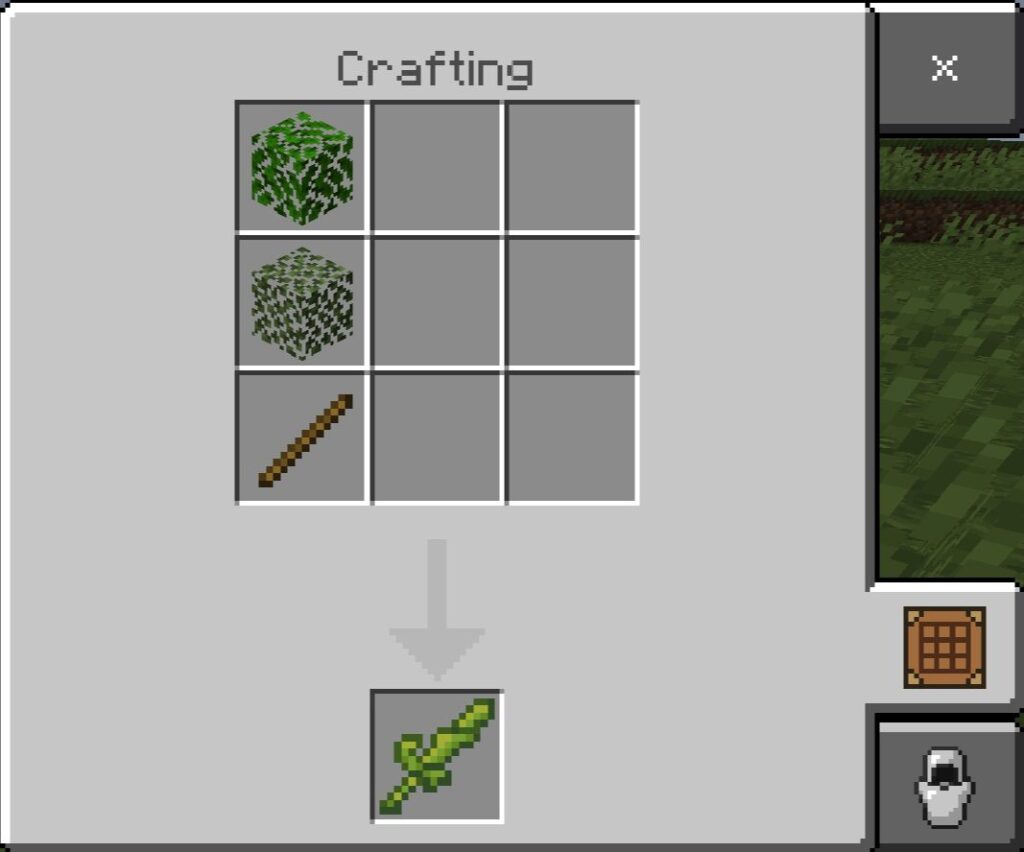
🌿 Plant Sword
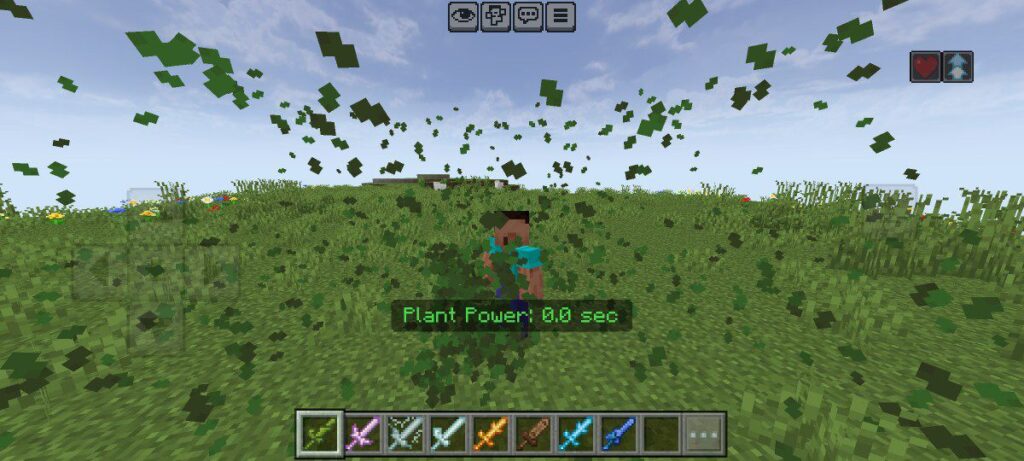
Bring nature to life — and use it as a weapon!
The Plant Sword releases poisonous vines and green spores that weaken your enemies. It’s perfect when you want nature itself to fight on your side.
⚡ Lightning Sword
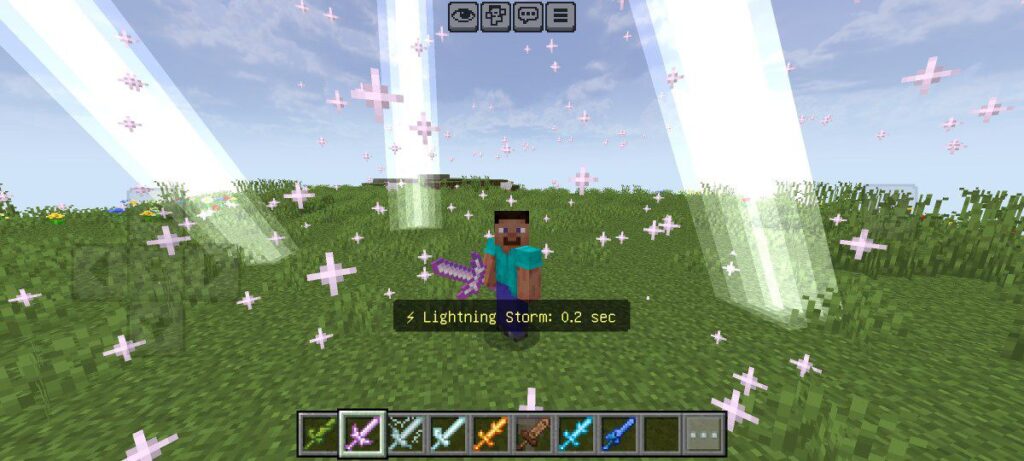
Unleash the storm!
Strike enemies with bolts of lightning that crackle through the air, stunning everything around you. One swing, and the sky answers your call.
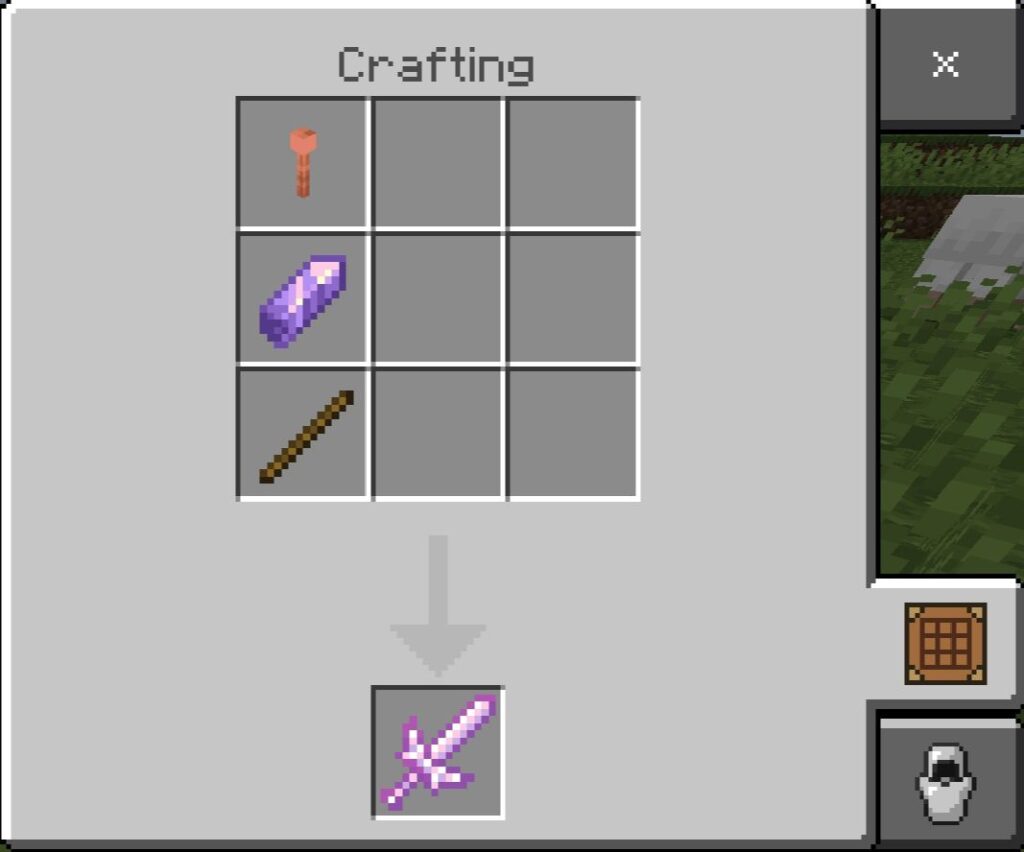
🌪️ Wind Sword
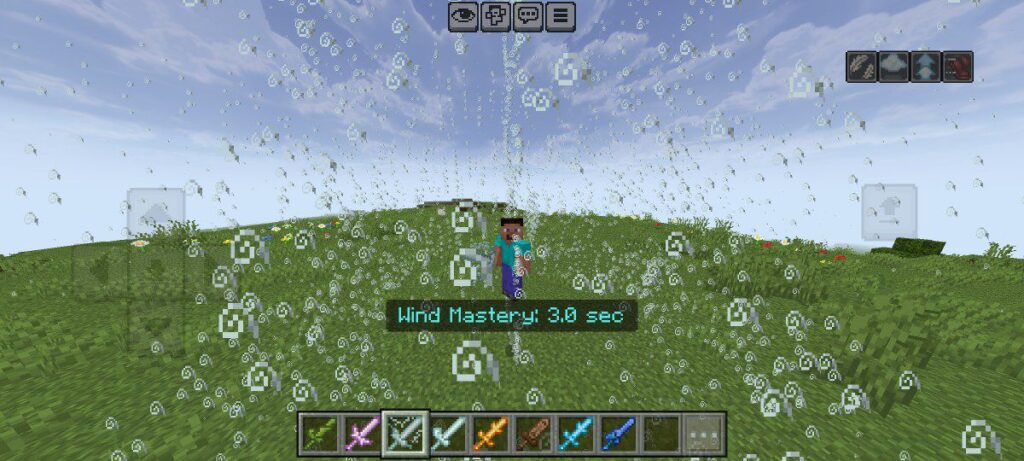
Each swing sends mobs flying into the air, surrounded by swirling tornado particles. Use it to clear space — or just have fun watching your enemies fly!
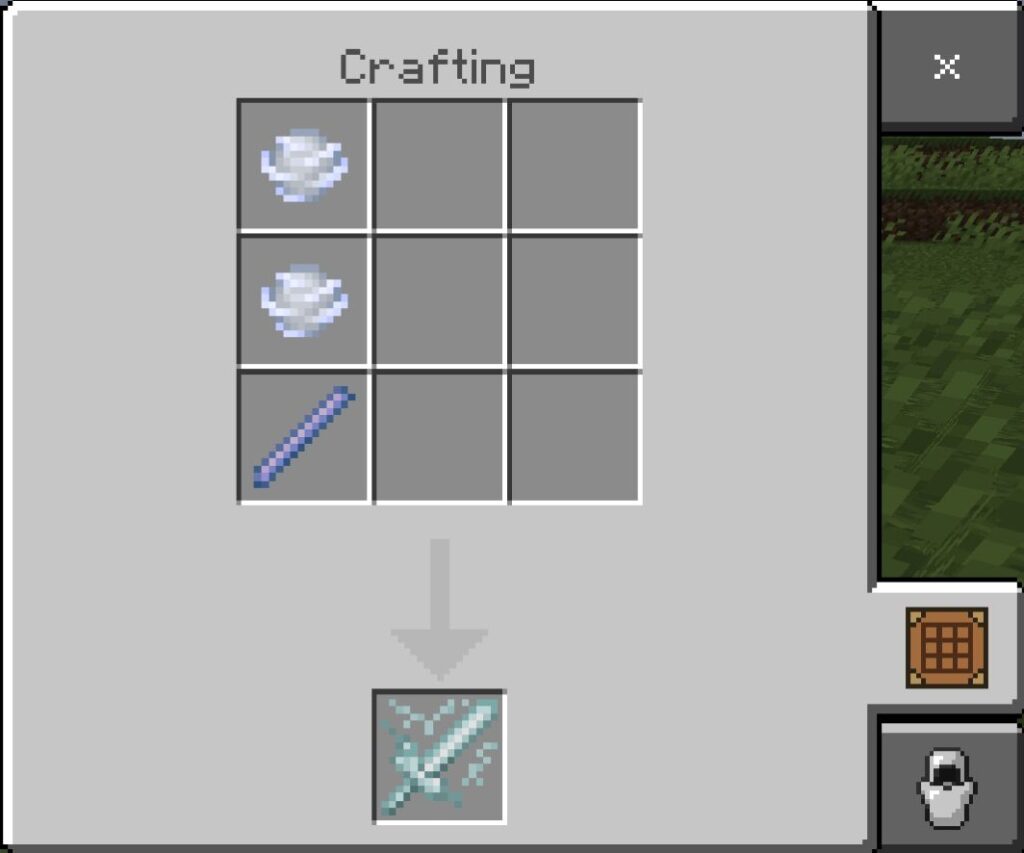
❄️ Ice Sword
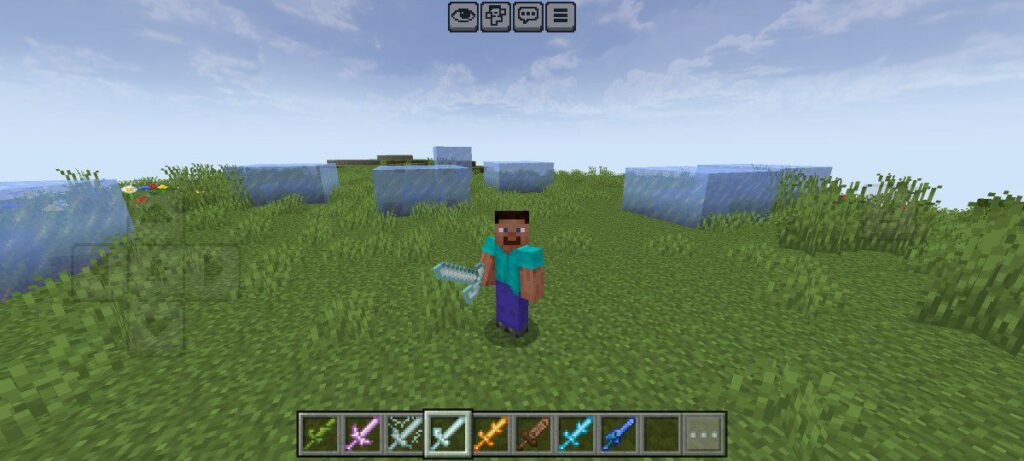
Freeze your foes in place!
The Ice Sword traps mobs inside icy crystals, leaving them stuck and helpless while snowflakes sparkle around them. It’s cool — literally.
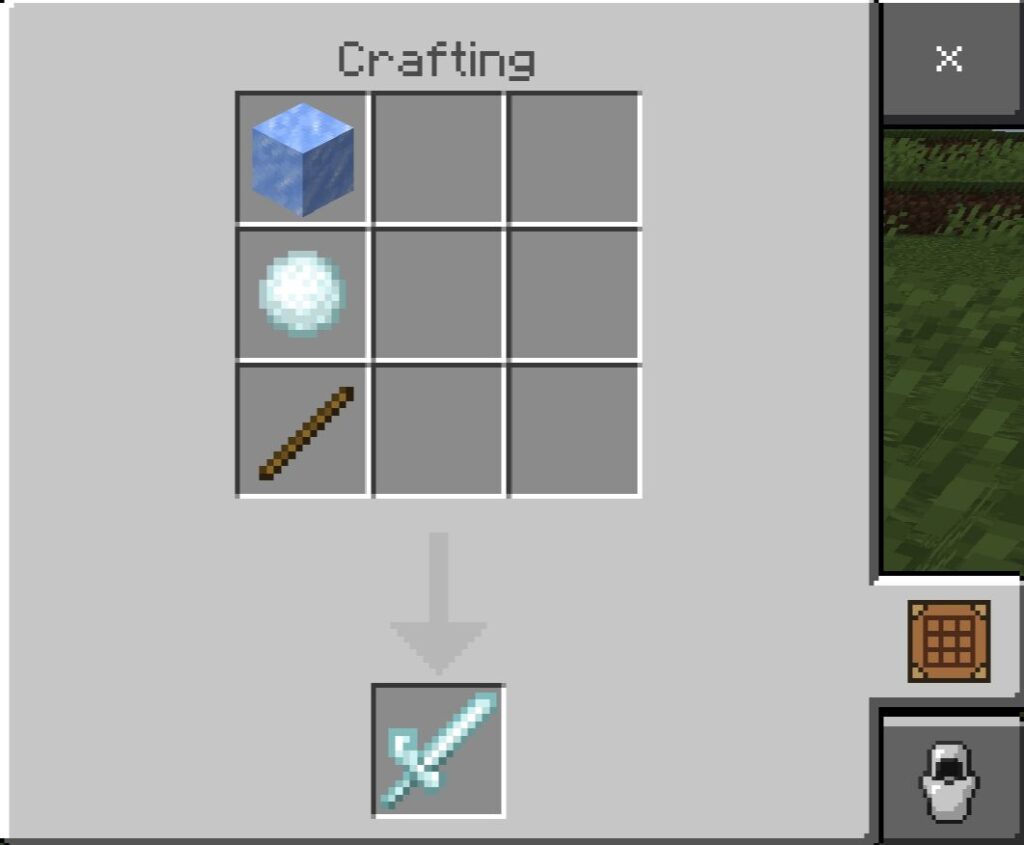
🔥 Fire Sword
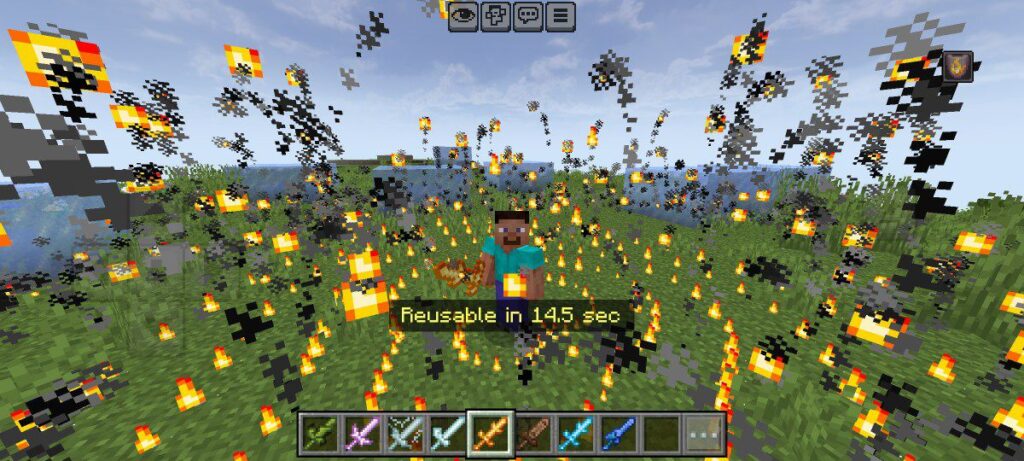
Turn your battlefield into a burning inferno.
Every hit spreads roaring flames that light up the ground. Watch your enemies panic as sparks and embers fill the air.
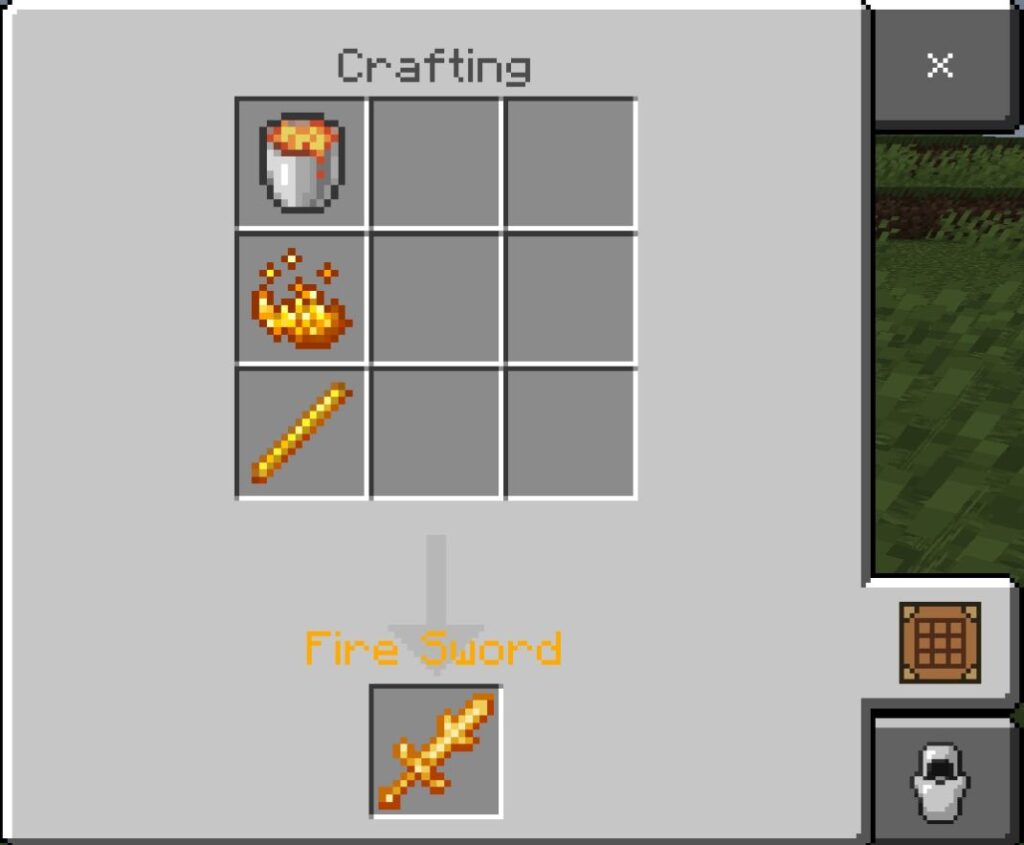
🪨 Earth Sword
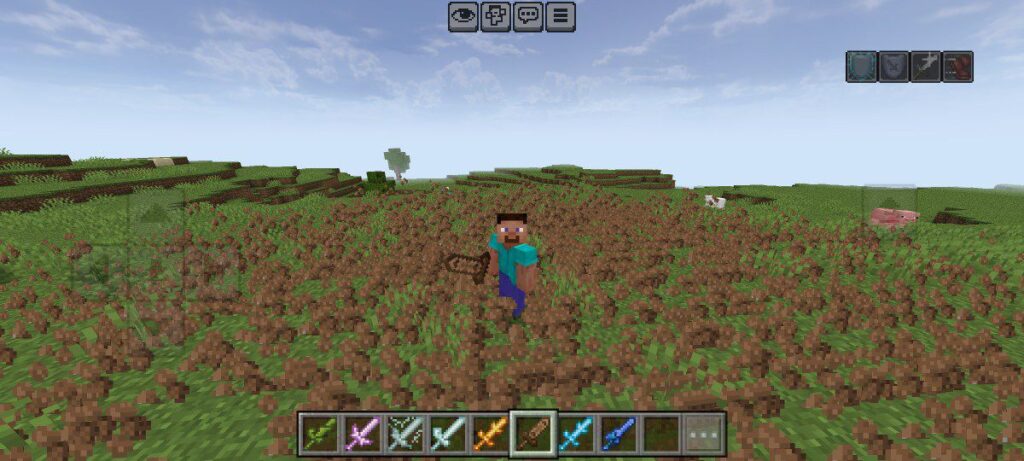
This sword summons an earthquake that sends mobs flying and shatters everything nearby. Its power straight from the heart of the earth!
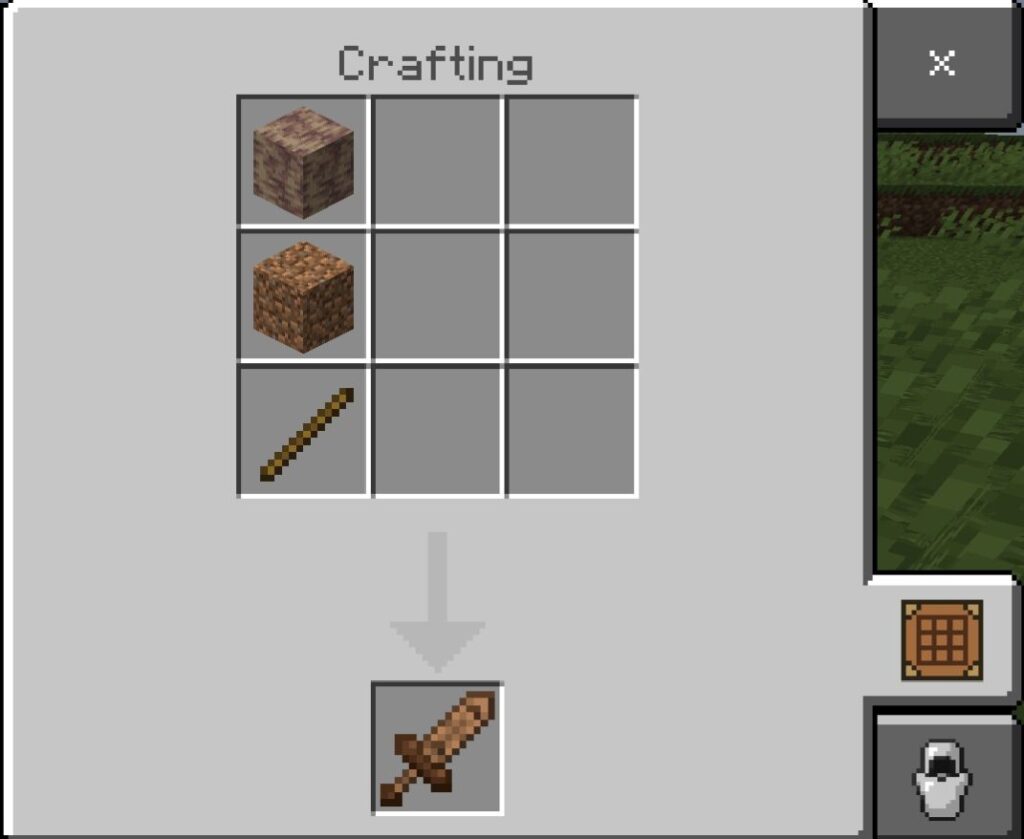
🔷 Blue Fire Sword
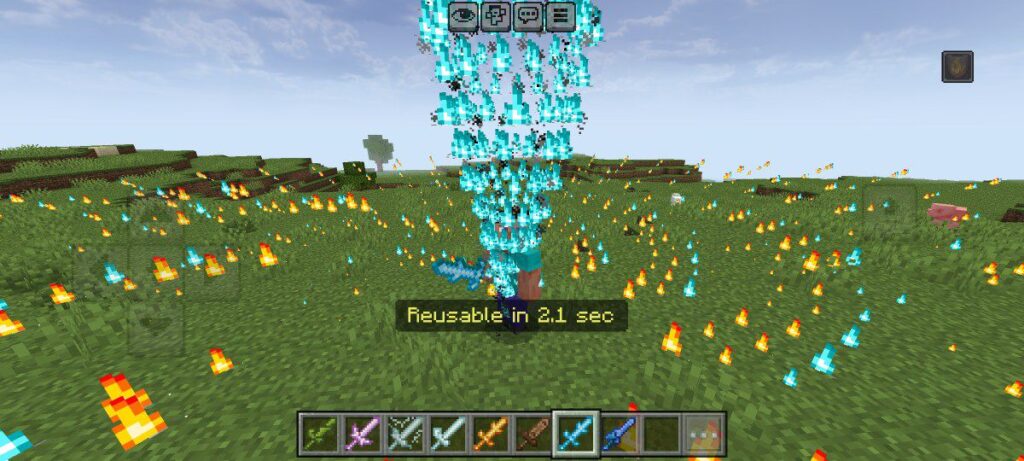
Hotter, brighter, and deadlier.
The Blue Fire Sword burns with a cold, blue flame that’s twice as fierce as normal fire. Its hits leave behind glowing ashes and destruction.
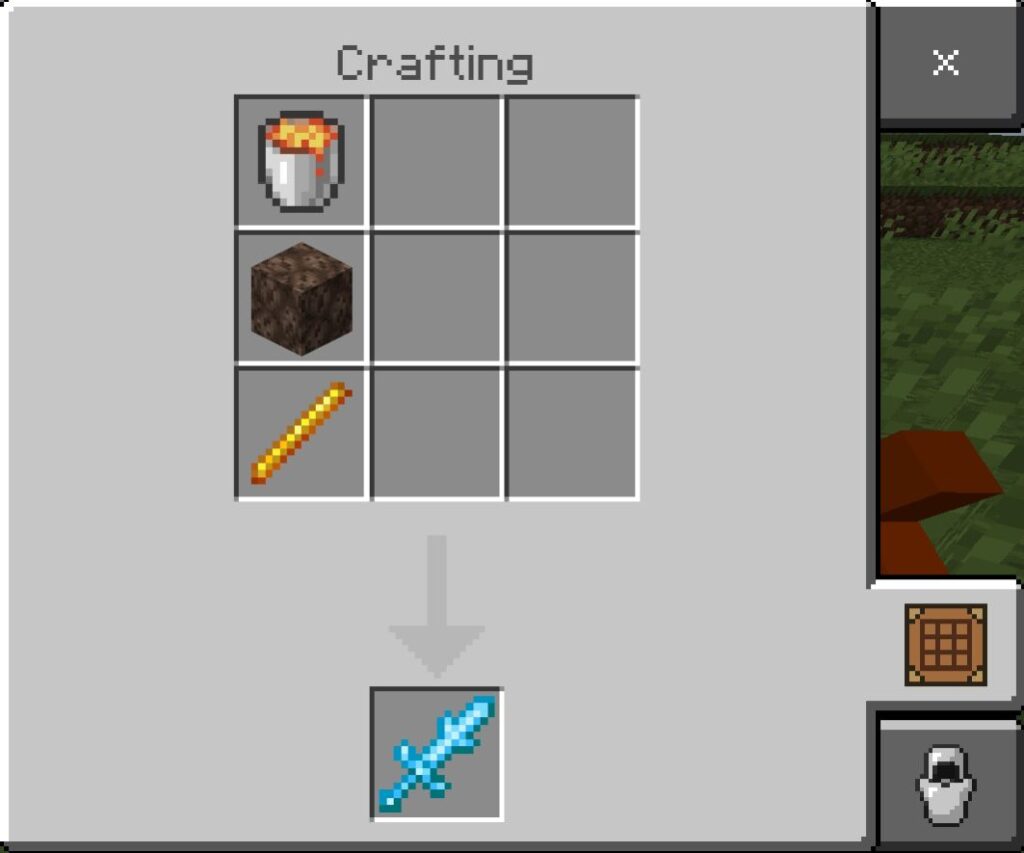
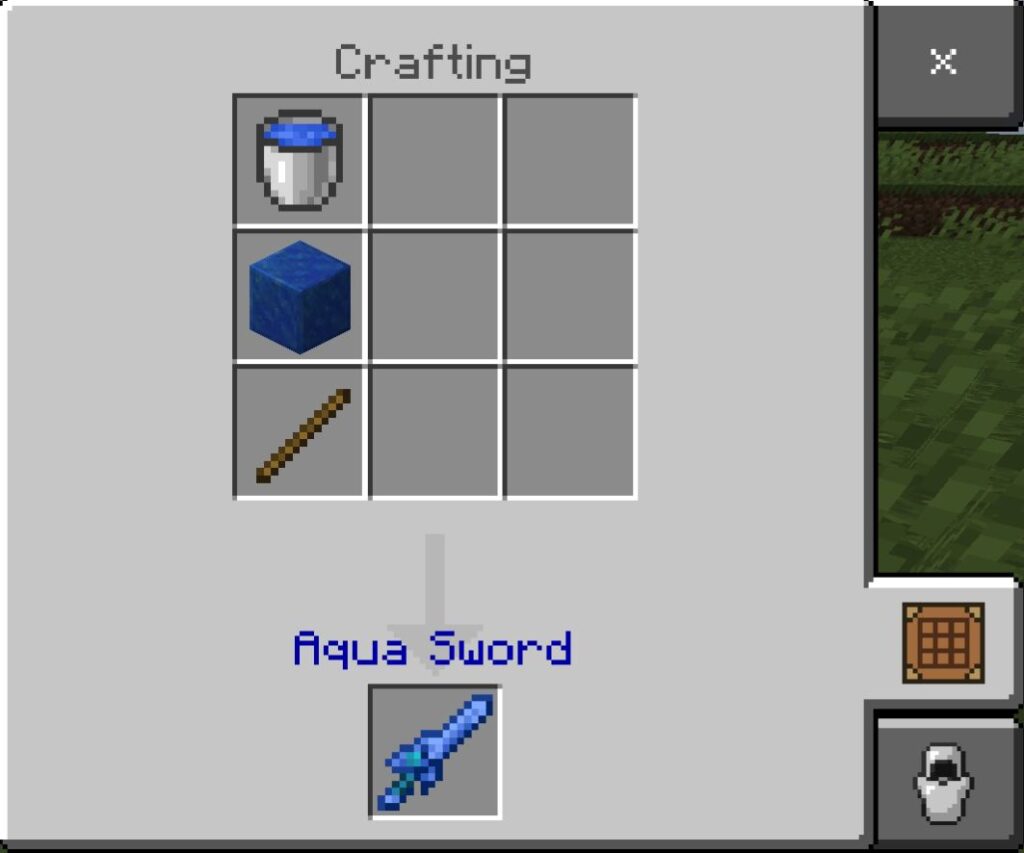
💧 Aqua Sword
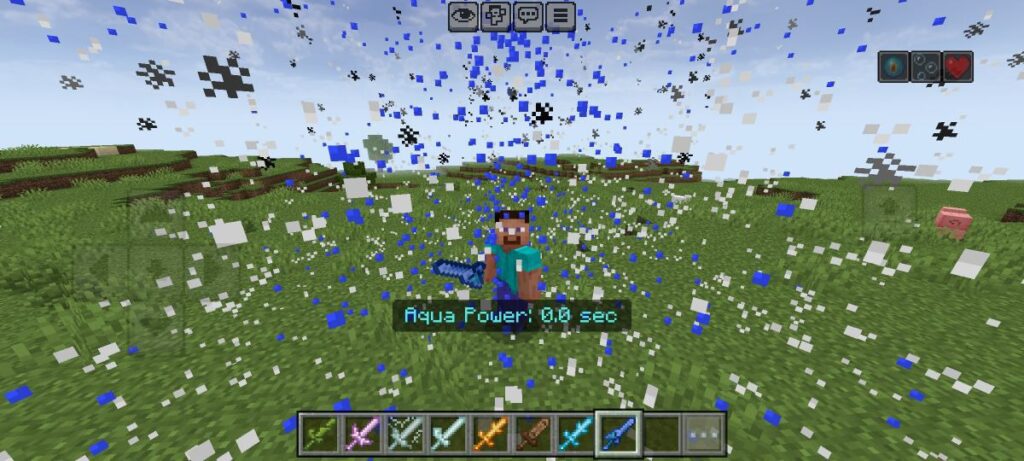
Every swing drenches mobs in water, slowing their movements and trapping them in floating bubbles. Great for controlling groups of enemies.
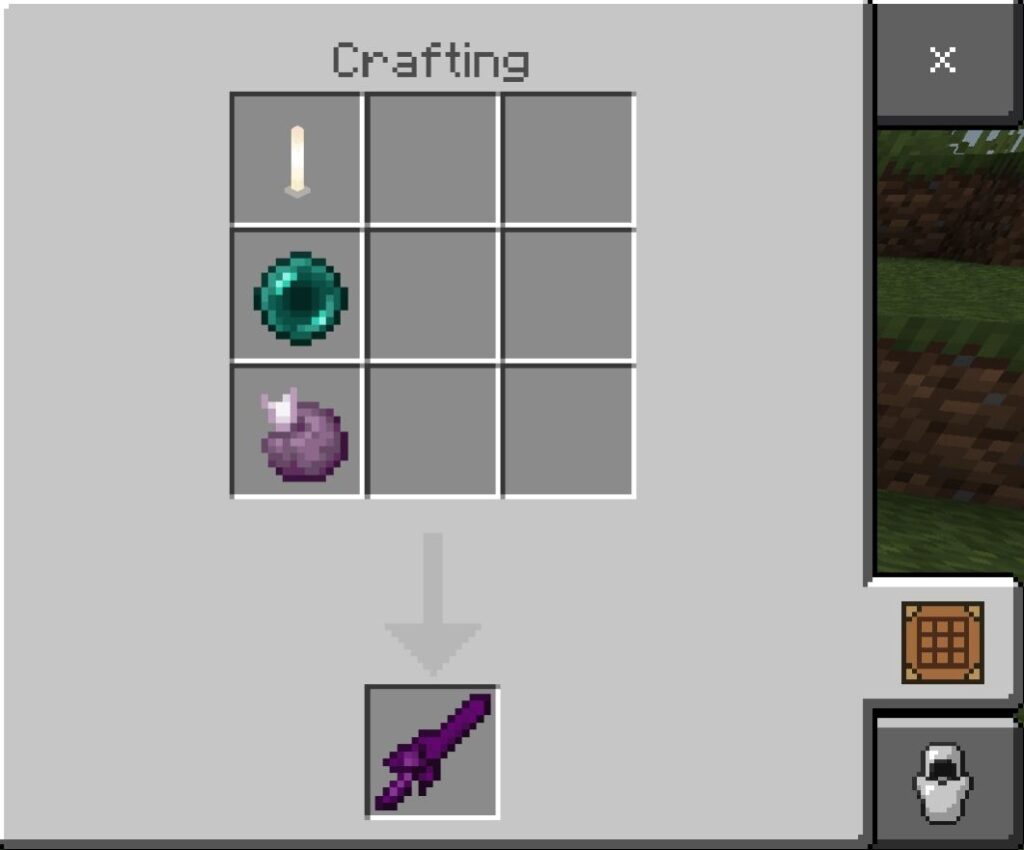
🌌 Void Sword
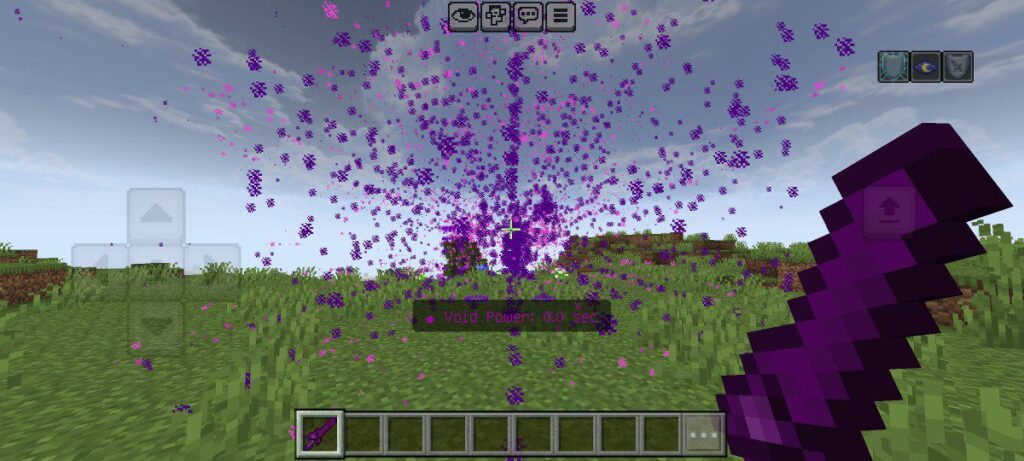
The most dangerous of them all — the Void Sword bends reality itself.
It spawns a black hole that pulls in enemies within a 15-block radius, traps them with swirling portal effects, and ends with a massive explosion after 30 seconds.
Enemies caught inside also suffer from Blindness, Wither, and Slowness — making the Void Sword a true god-tier weapon.
Main Features:
– Creates a stationary black hole 8 blocks ahead.
– Constant gravitational pull.
– Expanding particle effects and rotating vortex.
– Explodes after a timed duration.
– Perfect for tactical combat and crowd control.
Why You’ll Love the Elemental Swords Addon
– Each sword comes with unique powers and effects.
– You can play like a god — controlling elements like fire, ice, and lightning.
– Works perfectly in Minecraft Bedrock latest version.
– Adds a whole new level of fun to combat and adventure.
Whether you’re exploring caves, fighting mobs, or showing off to friends, this addon turns every fight into an epic scene!
Final Words
The Elemental Swords Addon is more than just a weapon pack — it’s pure power in your hands. From burning flames to endless storms, every sword gives you a new way to rule your Minecraft world.
Downloads
Elemental Swords Addon RP 🔗
Elemental Swords Addon BP 🔗
Installation Guide
- Download the addon file from the given link.
- Open any file manager and click on the downloaded addon file. It’ll be automatically imported into Minecraft.
- Make sure to activate both the resource pack and the behavior pack of the addon.
- Create and enjoy.
Supported Minecraft Versions
1.20, 1.21, 1.21.100, 1.21.101, 1.21.120 and later