In this guide, you will learn how to install mods, addons, maps, texture packs, and shaders into Minecraft Bedrock Edition. These files typically come in formats such as .mcaddon, .mcpack, and .mcworld.
Here’s a step-by-step guide to installing add-ons, maps, texture packs, and shaders in Minecraft Bedrock Edition.
1. Open any file explorer and find the downloaded file you want to install.
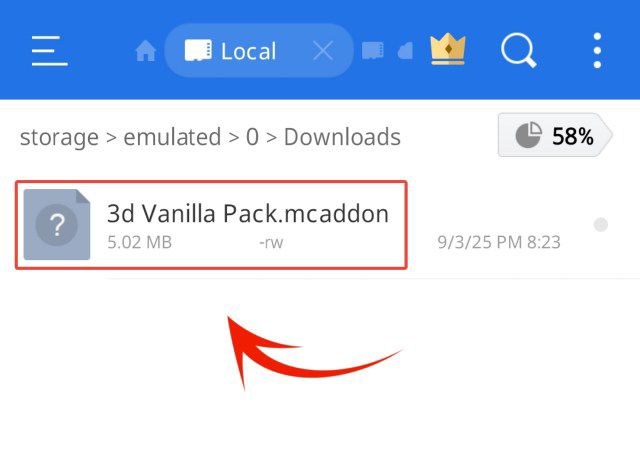
2. Click on the file, and a prompt will show a list of apps to import the file.
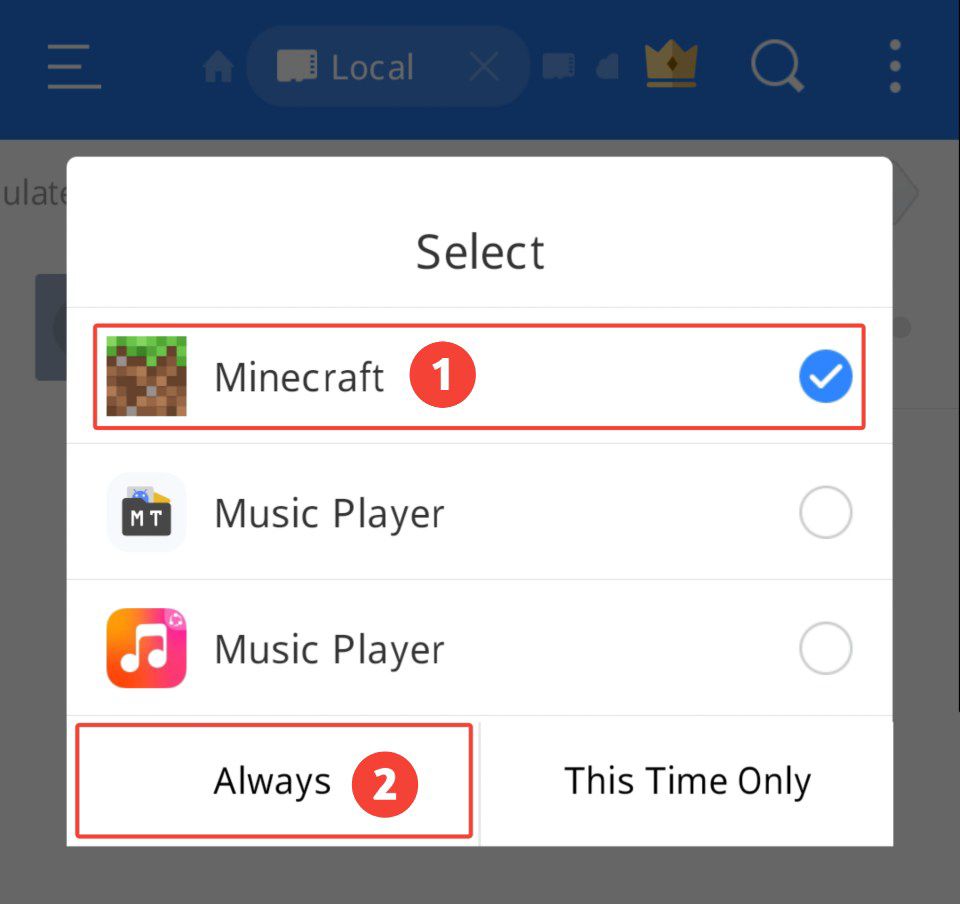
3. Select Minecraft, and the file will automatically open Minecraft and import itself.
After importing, you’ll see a notification saying “Import started” at the top of the screen.
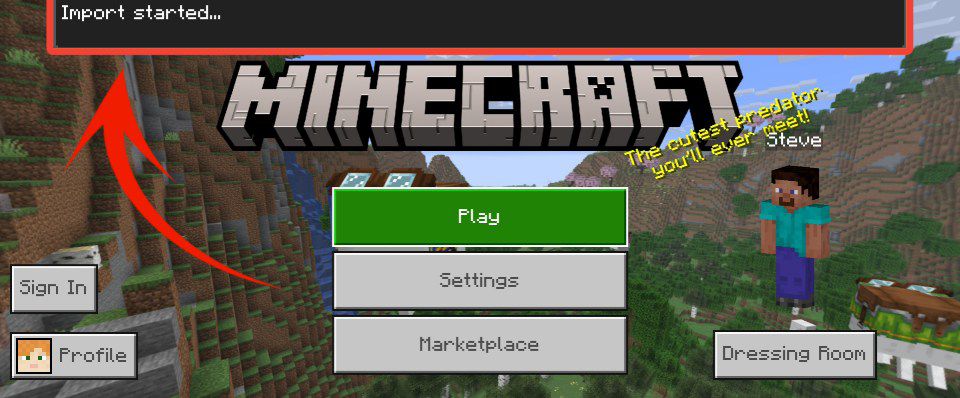
If there are no errors in the file, the notification will say “Successfully imported.”
After you’ve successfully imported the pack, follow these simple steps:
Add-ons & Resource Packs
To play a newly imported add-on or resource pack including shaders and texture packs:
1. Create a new world or edit an existing one.
2. Select Resource Packs or Behavior Packs.
3. Choose the pack and click Activate.
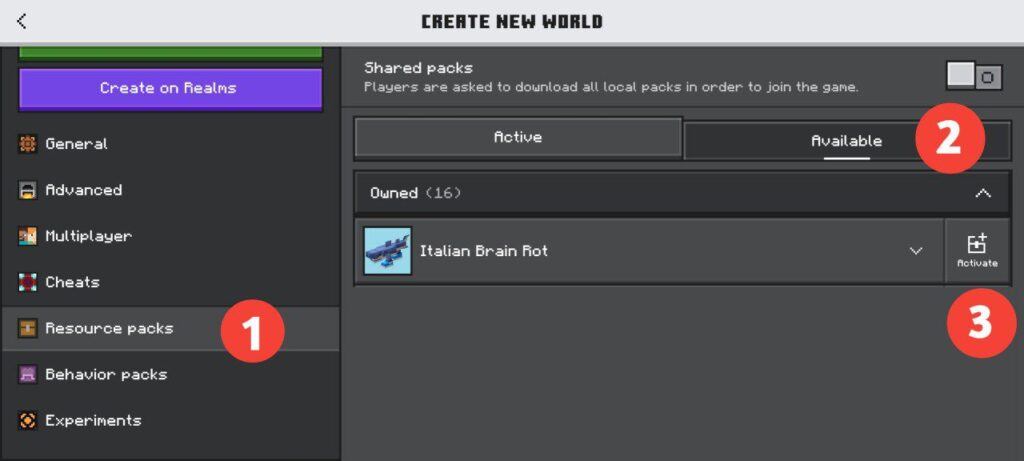
Many add-ons need both a behavior pack and a resource pack, so make sure to enable both for everything to work properly.
Maps & Worlds
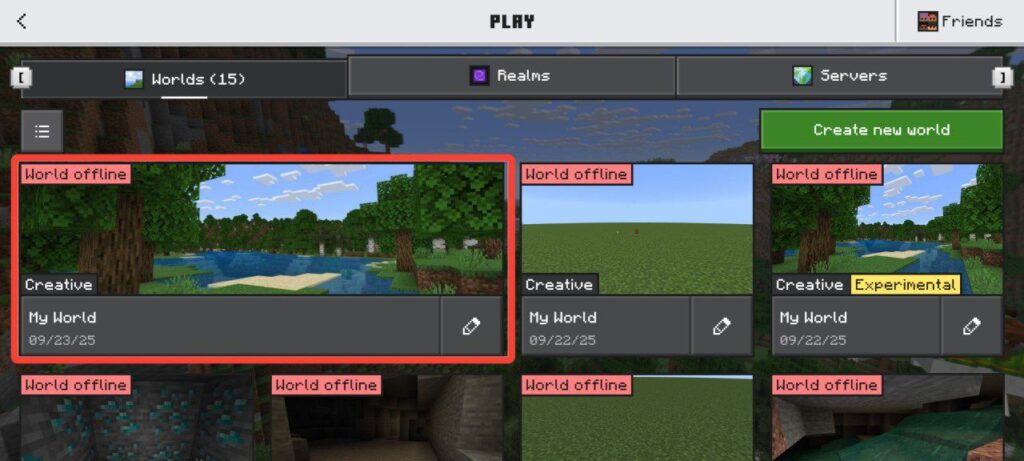
Once imported, your new world will show up on the Worlds screen. Just wait until the import is fully complete before opening it.
Skins
To use a newly imported skin pack:
1. On the main menu, open the Dressing Room.
2. Select Classic Skins.
3. You will see your new skin pack available to choose from.
✅ That’s it! Now you know how to install and use addons, maps, and skins in Minecraft Bedrock Edition. Have fun
Note: The installation process is almost the same across all devices—Windows, iOS, and Android. You just need to download the pack file (such as .mcaddon, .mcpack, or .mcworld) and open it. Minecraft will automatically import the file, and then you can activate it through Resource Packs, Behavior Packs, Worlds, or the Dressing Room. The only difference is where your file is saved (File Manager on Android, Files app on iOS, or Downloads folder on Windows), but the steps inside Minecraft remain the same.